---
title: Choosing the right field type
description: Each field has been designed for a certain type of data. To get the most out of the platform, we must choose the fields taking into account their objectives.
---
[Skip to content](https://support.biglelegal.com/en/knowledge-base/choosing-the-right-field-type#main-content)
- [English](https://support.biglelegal.com/en/knowledge-base/choosing-the-right-field-type)
- [Español](https://support.biglelegal.com/es/knowledge-base/como-elegir-el-tipo-de-campo-adecuado)
English
Show submenu for translations
[Customer portal](https://support.biglelegal.com/tickets-view?hsLang=en)

Open main navigation
Close main navigation
- - [English](https://support.biglelegal.com/en/knowledge-base/choosing-the-right-field-type)
- [Español](https://support.biglelegal.com/es/knowledge-base/como-elegir-el-tipo-de-campo-adecuado)
English
Show submenu for translations
- [Customer portal](https://support.biglelegal.com/tickets-view)
Find what you are searching
- There are no suggestions because the search field is empty.
1. [Knowledge Base](https://support.biglelegal.com/en/knowledge-base?hsLang=en)
2. [Templates - Fields](https://support.biglelegal.com/en/knowledge-base/templates-fields?hsLang=en)
# Choosing the right field type
## Each field has been designed for a certain type of data. To get the most out of the platform, we must choose the fields taking into account their objectives.
Below is a list of each available field with brief explanations that will help us to know which one is the most appropriate in each situation.
For further information about their functions and how to set them up, visit their respective articles (you will find them linked to the end of their explanations).
### Title
The “**title**” field allows us to **organize and structure the form**, identifying and separating each of its parts with a title, a subtitle or a text.

Learn how to set up the "title" field in [this article](https://support.biglelegal.com/en/knowledge-base/field-title?hsLang=en).
### Short text
The “**short text**” field allows us to **enter short data**, such as names, surnames or cities.
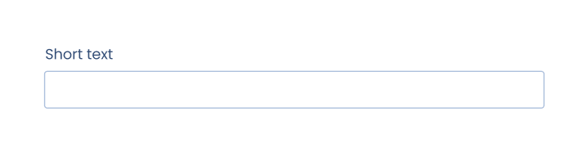
Learn how to set up the "short text" field in [this article](https://support.biglelegal.com/en/knowledge-base/field-short-text?hsLang=en).
### Long text
The "**long text**" field allows us to **enter large amounts of text**, such as additional clauses.
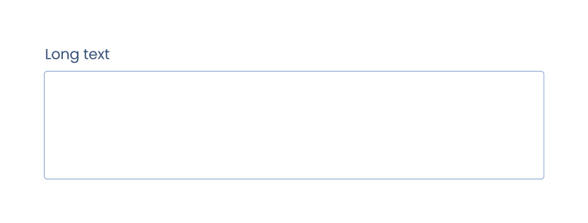
Learn how to set up the "long text" field in [this article](https://support.biglelegal.com/en/knowledge-base/field-long-text?hsLang=en).
### Text with style
The "**text with style**" field allows us to insert text without any length limit in the form and **apply various format options**: bold, italic, link, bulleted list…
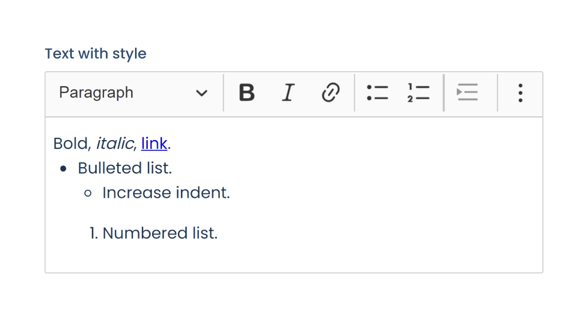
Learn how to set up the "text with style" field in [this article](https://support.biglelegal.com/en/knowledge-base/text-with-style?hsLang=en).
### Date
The "**date**" field allows us to **enter dates by selecting them using an interactive calendar** or by typing them manually.
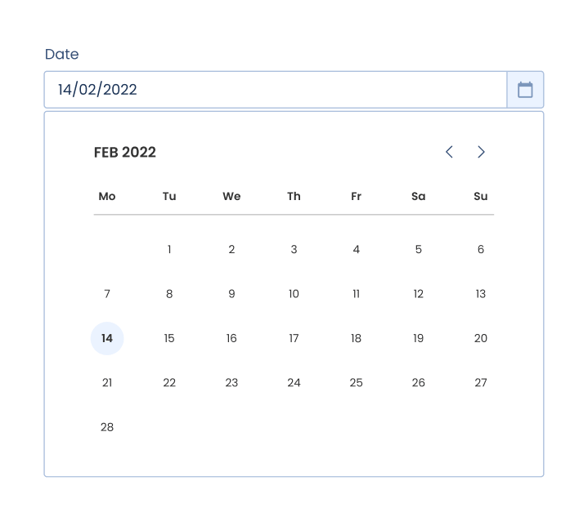
Learn how to set up the "date" field in [this article](https://support.biglelegal.com/en/knowledge-base/field-date?hsLang=en).
### Number
The "**number**" field allows us to **enter any numerical value**, such as a number, a percentage or a price (in different currencies).
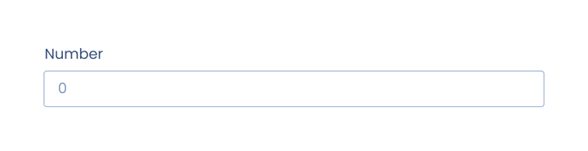
Learn how to set up the "number" field in [this article](https://support.biglelegal.com/en/knowledge-base/field-number?hsLang=en).
### Single choice
The "**single choice**" field allows us to **select a single option among several possibilities**.

Although it has the same function as the "selector" field, in this case all **the options will always be visible on the form**. It is recommended to use it if the options are short or if we are interested in seeing all of them constantly on the form.
Learn how to set up the "single choice" field in [this article](https://support.biglelegal.com/en/knowledge-base/field-single-choice?hsLang=en).
### Multiple choice
The "**multiple choice**" field allows us to **select one or more options among several possibilities**.

Learn how to set up the "multiple choice" field in [this article](https://support.biglelegal.com/en/knowledge-base/field-multiple-choice?hsLang=en).
### Dropdown
The "**dropdown**" field allows us to **select a single option among several possibilities**.
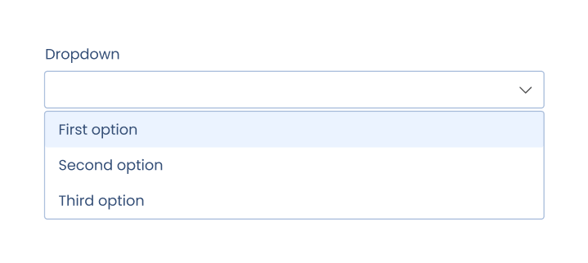
Although it has the same function as the "single option" field, in this case **the options will be hidden and we will be able to show them through a dropdown to select one of them**. It is recommended to use it if the options are extensive or if we are interested in seeing only the chosen option once the field is filled in.
Learn how to set up the "dropdown" field in [this article](https://support.biglelegal.com/en/knowledge-base/field-dropdown?hsLang=en).
### Image
The "**image**" field allows us to **insert images into the document**, such as logos, graphics or photographies.
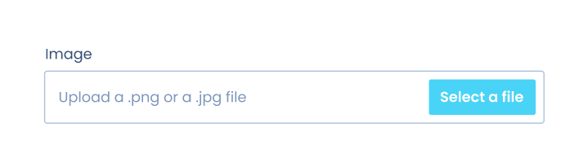
Learn how to set up the "image" field in [this article](https://support.biglelegal.com/en/knowledge-base/field-image?hsLang=en).
### Attachment
The "**attachment**" field allows us to **add an independent file** that offers additional information to the one contained in the main document.
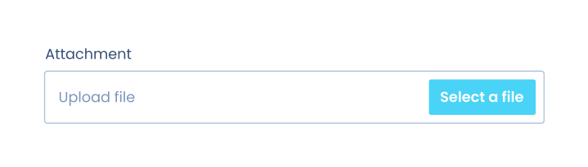
Its function is similar to the “annex” field’s, but in this case the attached document will accompany the original one without being attached to it, so **they will be saved separately**.
Learn how to set up the "attachment" field in [this article](https://support.biglelegal.com/en/knowledge-base/attachment?hsLang=en).
### Annex
The "**annex**" field allows us to **add an independent file** that offers additional information to the one contained in the main document.
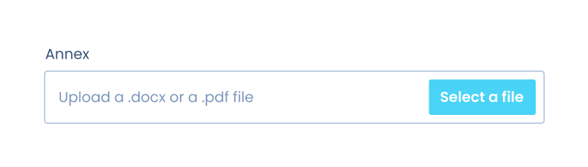
Its function is similar to the “attachment” field, but in this case the attached documents will be **saved together with the original document, being automatically combined and appearing sequentially at the end**.
Learn how to set up the "annex" field in [this article](https://support.biglelegal.com/en/knowledge-base/annex?hsLang=en).
- [Platform Updates](https://support.biglelegal.com/en/knowledge-base/platform-updates?hsLang=en)
- [On-demand webinars](https://support.biglelegal.com/en/knowledge-base/on-demand-webinars?hsLang=en)
- [New in Bigle](https://support.biglelegal.com/en/knowledge-base/new-in-bigle?hsLang=en#main-content)
- [0. Introduction](https://support.biglelegal.com/en/knowledge-base/new-in-bigle?hsLang=en#0-introduction)
- [1. Template creation](https://support.biglelegal.com/en/knowledge-base/new-in-bigle?hsLang=en#1-template-creation)
- [2. Creation of fields](https://support.biglelegal.com/en/knowledge-base/new-in-bigle?hsLang=en#2-creation-of-fields)
- [3. Creation of forms](https://support.biglelegal.com/en/knowledge-base/new-in-bigle?hsLang=en#3-creation-of-forms)
- [Templates - Create tags](https://support.biglelegal.com/en/knowledge-base/templates-create-tags?hsLang=en#main-content)
- [Introduction](https://support.biglelegal.com/en/knowledge-base/templates-create-tags?hsLang=en#introduction)
- [Type of tags](https://support.biglelegal.com/en/knowledge-base/templates-create-tags?hsLang=en#type-of-tags)
- [Types of use of opening and closing tags](https://support.biglelegal.com/en/knowledge-base/templates-create-tags?hsLang=en#types-of-use-of-opening-and-closing-tags)
- [Settings](https://support.biglelegal.com/en/knowledge-base/templates-create-tags?hsLang=en#settings)
- [Templates - Fields](https://support.biglelegal.com/en/knowledge-base/templates-fields?hsLang=en)
- [Template - Form](https://support.biglelegal.com/en/knowledge-base/template-form?hsLang=en)
- [Template - Settings](https://support.biglelegal.com/en/knowledge-base/template-settings?hsLang=en)
- [Sub-template](https://support.biglelegal.com/en/knowledge-base/sub-template?hsLang=en)
- [Metadata and Reports](https://support.biglelegal.com/en/knowledge-base/metadata-and-reports?hsLang=en)
- [Documents](https://support.biglelegal.com/en/knowledge-base/documents?hsLang=en#main-content)
- [Document management and organization](https://support.biglelegal.com/en/knowledge-base/documents?hsLang=en#document-management-and-organization)
- [Massive actions](https://support.biglelegal.com/en/knowledge-base/documents?hsLang=en#massive-actions)
- [Document options](https://support.biglelegal.com/en/knowledge-base/documents?hsLang=en#document-options)
- [Processes](https://support.biglelegal.com/en/knowledge-base/documents?hsLang=en#processes)
- [Bigle AI](https://support.biglelegal.com/en/knowledge-base/bigle-ai?hsLang=en#main-content)
- [Document Assistant](https://support.biglelegal.com/en/knowledge-base/bigle-ai?hsLang=en#document-assistant)
- [Discriminative AI](https://support.biglelegal.com/en/knowledge-base/bigle-ai?hsLang=en#discriminative-ai)
- [Libra: General AI Chat on the Platform](https://support.biglelegal.com/en/knowledge-base/bigle-ai?hsLang=en#libra-general-ai-chat-on-the-platform)
- [Requests](https://support.biglelegal.com/en/knowledge-base/requests?hsLang=en)
- [Edition](https://support.biglelegal.com/en/knowledge-base/edition?hsLang=en)
- [Negotiation](https://support.biglelegal.com/en/knowledge-base/negotiation?hsLang=en)
- [Validation](https://support.biglelegal.com/en/knowledge-base/validation?hsLang=en)
- [Electronic signature](https://support.biglelegal.com/en/knowledge-base/electronic-signature?hsLang=en)
- [Workflows](https://support.biglelegal.com/en/knowledge-base/workflows?hsLang=en)
- [Certified Email](https://support.biglelegal.com/en/knowledge-base/certified-email?hsLang=en)
- [Tasks](https://support.biglelegal.com/en/knowledge-base/tasks?hsLang=en)
- [Administration and Security](https://support.biglelegal.com/en/knowledge-base/administration-and-security?hsLang=en)
- [Customize the platform](https://support.biglelegal.com/en/knowledge-base/customize-the-platform?hsLang=en)
- [Integrations](https://support.biglelegal.com/en/knowledge-base/integrations?hsLang=en#main-content)
- [No-code universal connector](https://support.biglelegal.com/en/knowledge-base/integrations?hsLang=en#no-code-universal-connector)
- [Bigle Legal API](https://support.biglelegal.com/en/knowledge-base/integrations?hsLang=en#bigle-legal-api)
[](https://www.biglelegal.com/press/bigle-ranks-26-in-deloitte-technology-fast-50-2026)
Copyright © 2026, Bigle Iberia, S.L.