
What are the Libra 2.0 Skills?
At Bigle, we know that legal work doesn't end when a contract is drafted. That's why we've equipped Libra 2.0 with new Skills that act directly on your CLM, eliminating manual work so you can focus on what really matters.
Below, we explain how to get the most out of each one:
1. Signer Autocomplete
Any lawyer knows what comes after drafting an agreement: finding each signer's details and entering them manually, contract after contract. With this new Skill, Libra intelligently identifies the signers and autocompletes their details in the signing process. An administrative task that used to interrupt your work now happens automatically.
How to use it:
- Start a Signing process in your document.
- In the right side panel, next to the option to add participants, click the new "Autodetect signers" button (identifiable by the AI sparkle icon).
- Libra will extract the names and emails from the document, ready for you to confirm and send.
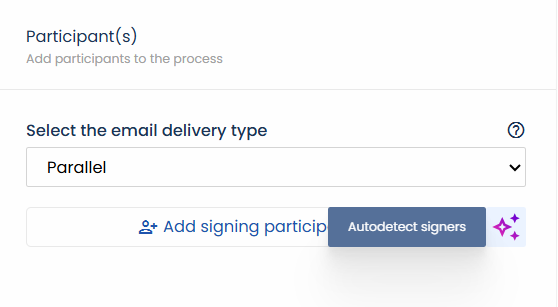
2. Recipient Autocomplete for Certified Emails
As with signatures, sending a certified email required searching for and filling in the recipient's data one by one. Now, the AI analyzes the document context and automatically detects who should receive it, suggesting the ideal recipient.
How to use it:
- Start the Certified Email step.
- In the Recipient section, click the AI sparkle icon located in the top right corner of the panel.
- Libra will fill in the name, surname, and email address effortlessly.
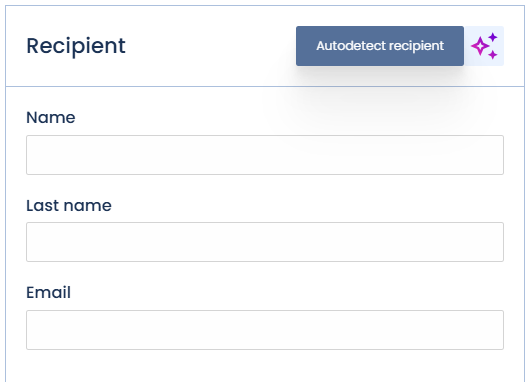
3. Automatic Metadata Detection
Thousands of contracts piled up without structure or tagging have always been the great problem for any legal department. What terms do we have with this provider? Previously, answering this required hours of manual review. Today, this Skill solves it at the root: any contract imported into Libra 2.0 is structured in seconds. The AI engine has been updated to offer ultra-fast, efficient, and scalable extraction. Your file ceases to be an inert drawer and becomes actionable information.
How to use it:
- Go to the Information > Custom section in the right panel of your document.
- Click the "Start detection" button.
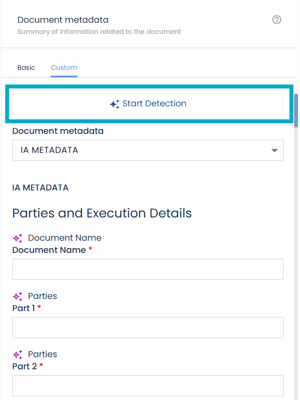
- The AI will process the document at an unprecedented speed and classify the metadata (dates, parties, amounts, etc.).
- Audit the predictions if necessary (you can see alternatives by clicking on "See other predictions") and click Save.
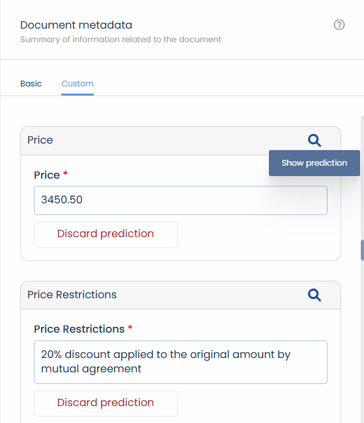
Additional Libra 2.0 Improvements
To make your experience even smoother, we have included these complementary improvements:
OCR Integration for scanned contracts
If you upload a scanned contract in image format (non-editable PDF), our system is now capable of reading it, extracting the text, and identifying all entities and data without problems.
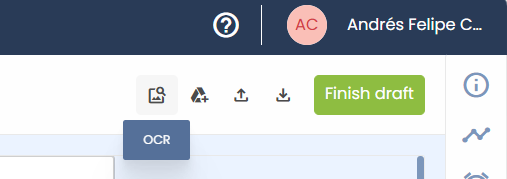
Interested in activating this functionality? Consult your account manager for details on pricing and activation.
Rich Text Copying
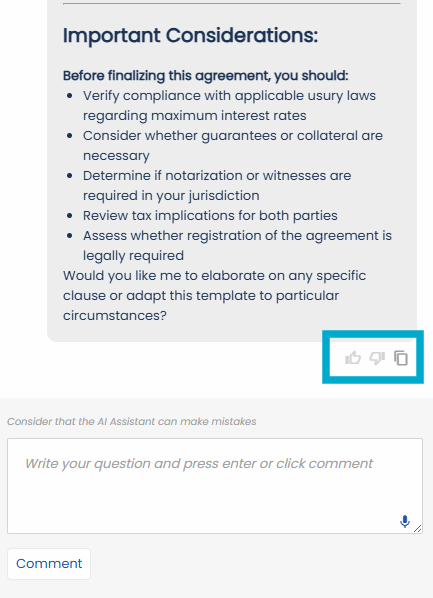
When interacting with Libra's chat, if you copy one of its answers using the "Copy to clipboard" button, the original formatting (bold, lists, etc.) will be maintained so you can paste it perfectly into other systems or emails.
Notes and Best Practices
Human Supervision
Although Libra 2.0 is highly accurate and its new engine is more powerful, remember that the AI can make occasional errors. We recommend always auditing and verifying the extracted information (such as signer emails or detected metadata) before confirming.
Metadata Preparation
For the automatic detection Skill to work correctly, ensure that your Administrator has previously configured the fields within the corresponding "Metadata Set". In the following article, you will find more details on how to configure the Metadata Set.
Frequently Asked Questions (FAQ)
Why don't I see the "Autodetect signers" button?
It is very likely that the Libra 2.0 features are not yet activated in your workspace. Remember that they require prior activation by our team. Contact your Account Manager to enable them.
Can I use metadata detection on old documents?
Of course! Libra 2.0 is ideal for processing your historical archive. You just need to open the imported document and run the detection to structure its information instantly.