
1. Electronic Signature Improvements (Bigle Sign)
We have optimized the signing experience to make it more direct, clear, and customizable for both document creators and signers.
Sign directly from a Sharelink
From now on, anyone who accesses a shared link (Sharelink) will be able to fill out the form and sign the document directly at that same moment. This use case is ideal for quick processes, such as signing responsible declarations.
To enable this option:
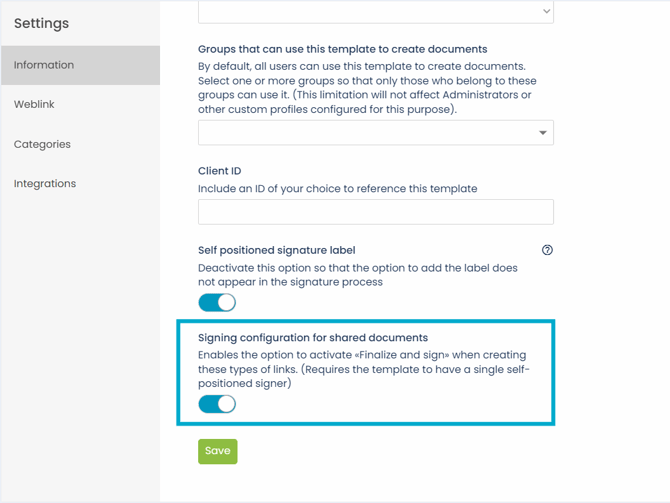
- Enable in the template: Ensure the template to be used has the "Signature configuration in shared documents" option enabled in its settings.
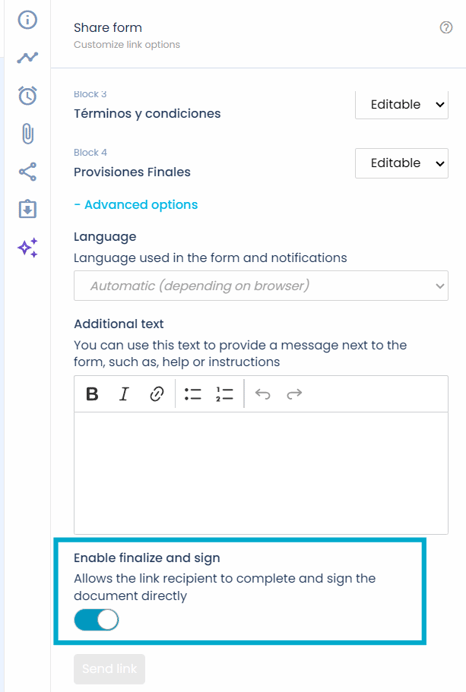
- Configure the Sharelink: When creating or sending the shared link, select the "Finalize and Sign" mode.
To ensure the correct display of this functionality, it is necessary that the template used has the "Self-positioned Signature" settings previously established. If you wish to delve deeper into the configuration of these elements, we recommend consulting the following article.
Mandatory rejection reason
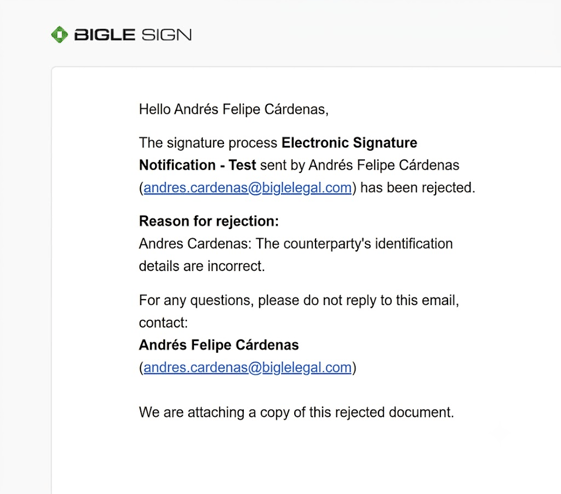
If one of the parties decides to reject the signature of a document, the platform will automatically enable a mandatory text box for them to indicate the reason. The user who created the process will receive an immediate email notification including this message.
Custom notes in the signature step
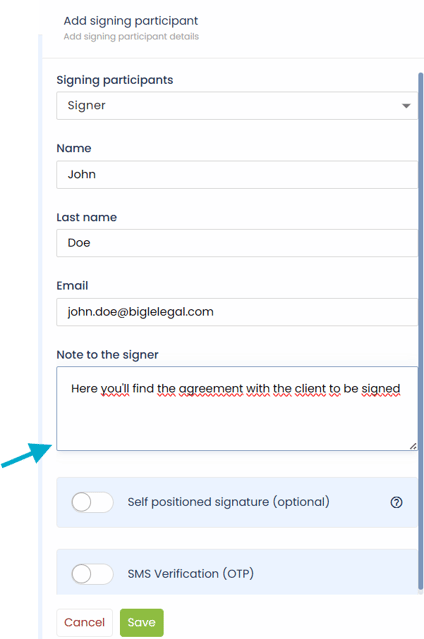
Now you can add custom notes directed specifically to each signer or validator directly from the signature step configuration.
Document name in the email subject
To facilitate identification in inboxes, the document name is now included in the subject line of the email that delivers the final signed documentation.
2. Automation and Workflows
We have increased the flexibility of workflows so that they adapt intelligently to your business rules.
Conditional workflows
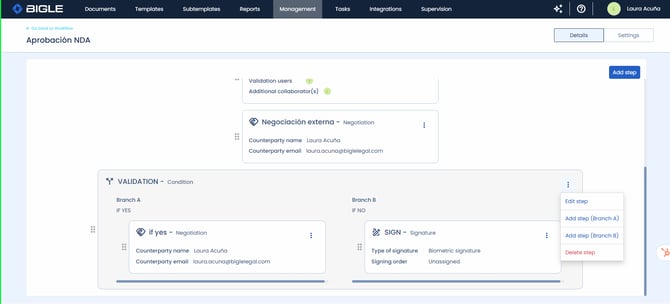
Now you can configure conditional steps within your Workflows based on the basic or custom metadata of your document.
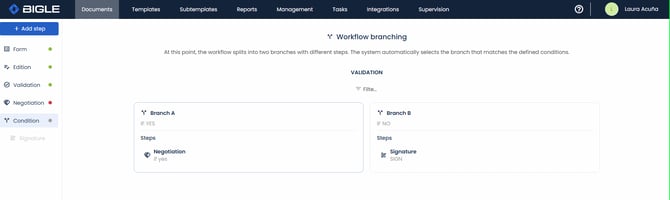
- Usage example: You can configure it so that if a contract's amount exceeds a specific threshold, the flow is automatically diverted to the legal or financial team. This way, the entire team will be able to audit and confirm the exact reason why the flow took that path.
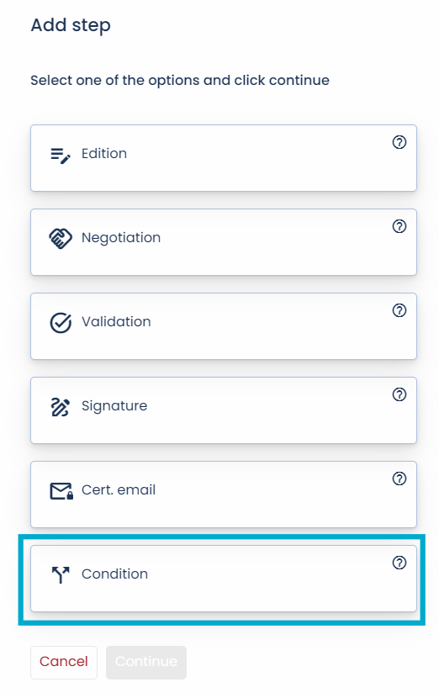
- How to access: Go to Manage > Workflows > Add step > Condition.
Automatic workflow advancement
In the event that a document has a workflow with Negotiation or Validation stages, automatic transition to the subsequent step is enabled using previously configured data.
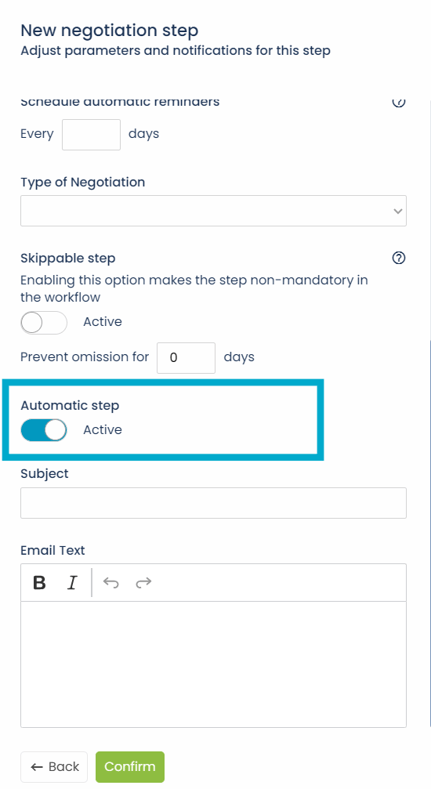
To enable this option, it is necessary to activate the "Automatic Step" option when configuring said step in the workflow structure.
3. Document Management and Negotiation
We have improved the organization of your workspace and clarified key actions during contract reviews.
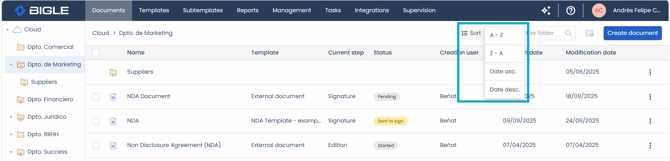
New document sorting options
In the Documents module, you now have the ability to sort your list alphabetically (by name) or organize it chronologically by date.
Clearer buttons in the Negotiation flow
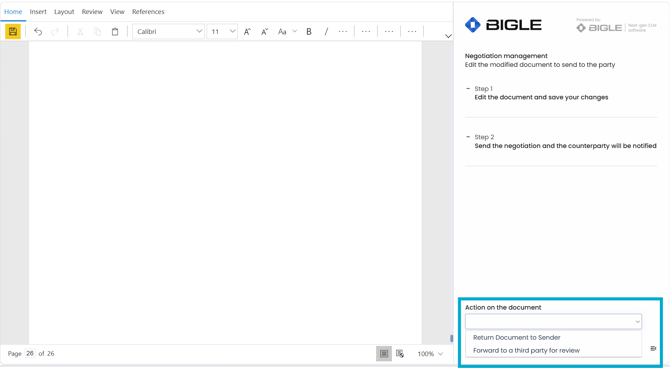
To avoid confusion when reviewing or returning documents during a negotiation process, we have renamed the main actions to be much more explicit:
- "Return to sender" (formerly Finalize suggestions): Use this button to send the document back with your changes to the person who initiated the negotiation.
- "Forward to a third party" (formerly Forward): Action reserved exclusively for deriving the document to a new external participant.
Automatic periodic alerts
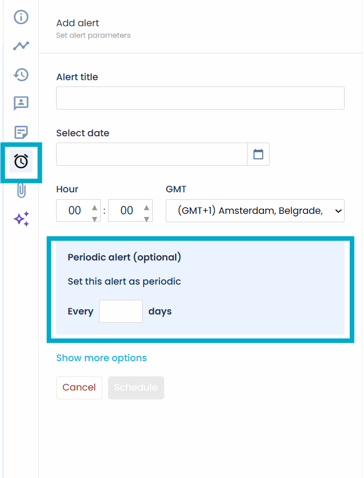
We have expanded the reminder options, allowing you to schedule alerts with periodic repetition automatically.
Important note: In case you do not see these new features immediately in your environment, it may be necessary to refresh your browser page. You can do this using the Ctrl + F5 or Fn + F5 commands, depending on your computer's configuration.